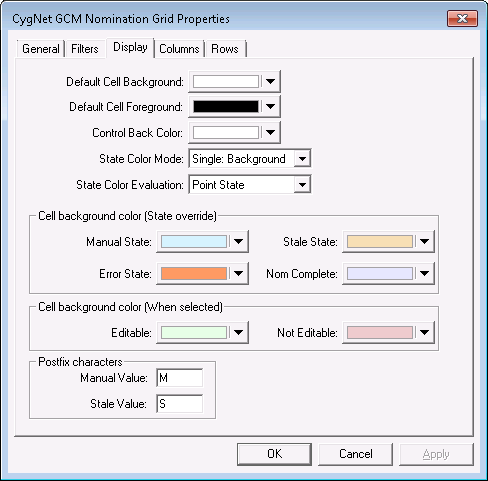
Use the Display page to configure the properties that determine how your GCM Nomination Grid will be displayed. See Customizing Point State Colors for more information.
|
|
| Sample Display Page |
The following table lists and describes the fields found under the Display page.
| Parameter | Description |
|---|---|
|
Default Cell Background |
Specifies the background color of a cell. Default is white (RGB 255.255.255). |
|
Default Cell Foreground |
Specifies the foreground color of a cell. Default is black (RGB 0.0.0). |
|
Control Back Color |
Specifies the background color of the grid. Default is white (RGB 255.255.255). |
|
State Color Mode |
Specifies the point state color mode. Options include:
|
|
State Color Evaluation |
Specifies the color evaluation mode. Options are Point State or Alarm Condition. |
|
Manual State |
If no special coloring is desired, set the color to white to match the background. |
|
Stale State |
If no special coloring is desired, set the color to white to match the background. |
|
Error State |
If no special coloring is desired, set the color to white to match the background. |
|
Nom Complete |
If no special coloring is desired, set the color to white to match the background. |
|
Editable |
This color indicates that a cell, when highlighted, is editable. |
|
Not Editable |
This color indicates that a cell, when highlighted, is not editable. |
|
Manual Value |
If specified, the Postfix Characters are applied to any cells in the specified state. |
|
Stale Value |
If specified, the Postfix Characters are applied to any cells in the specified state. |

|
|
|

